Muscle · Abs
Add realistic abs to any photo.
Upload a photo, tap Abs, pick the look. Muscle Editor renders a six-pack that matches your body type, skin tone, and lighting - not a flat sticker pasted on top. Three intensities, one tap.
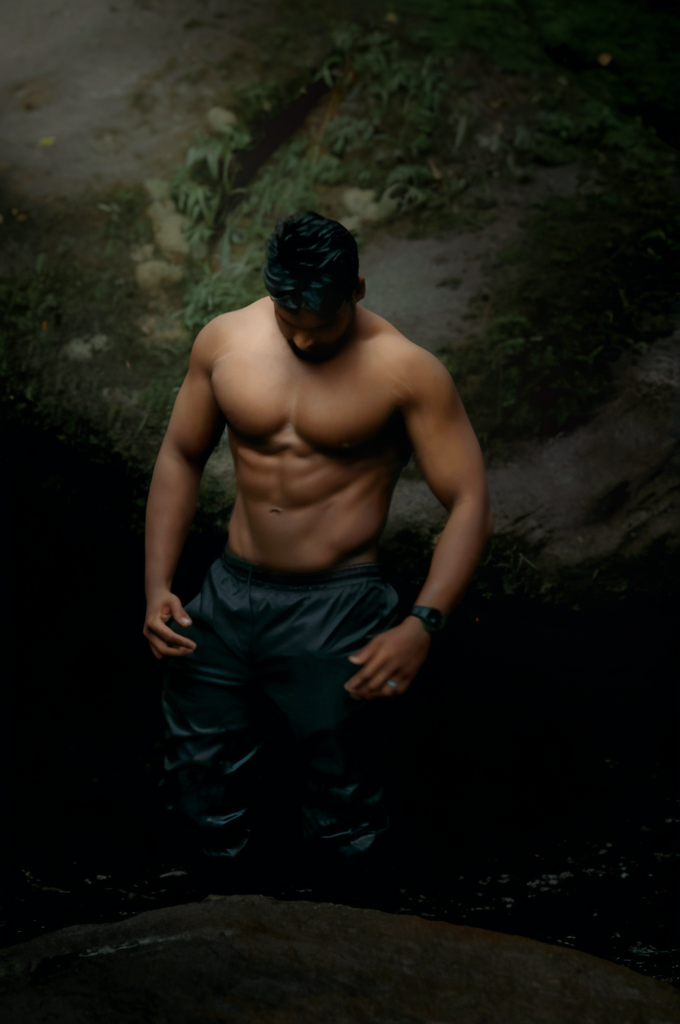
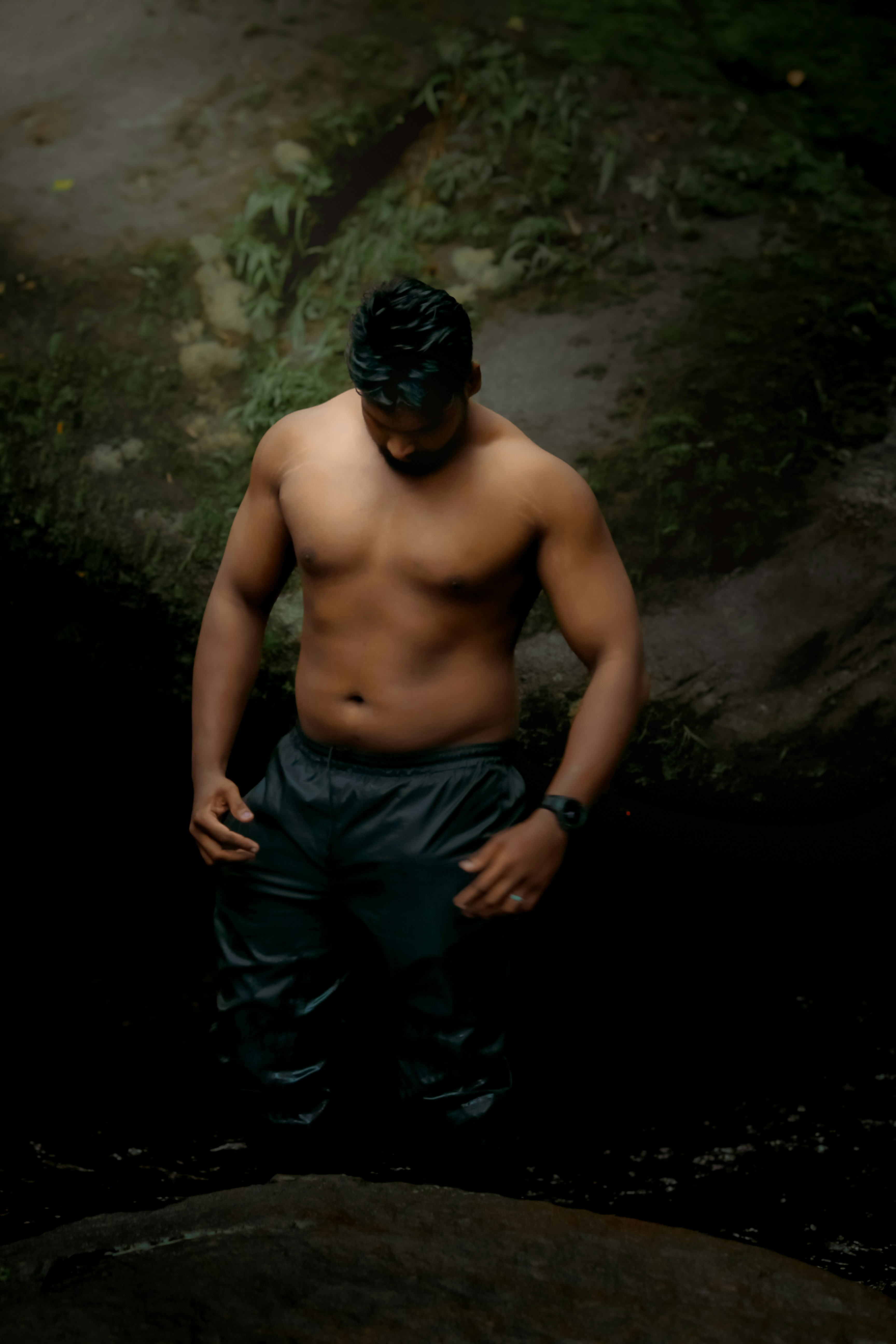
Add a defined six-pack with realistic shadow and skin tone.
GeneratedWhat the AI does for abs
- Adds realistic ab definition that matches your existing torso shape and lighting.
- Three styles: lean athletic (Fit), defined six-pack (Muscular), or competition shredded (Bodybuilder).
- Works through tight t-shirts and gym wear, not just shirtless photos.
- Preserves skin tone, tan lines, and shadow direction so the result reads as one image.
- Pairs cleanly with chest and arm edits for full-torso results.
Three intensity presets
-
Fit
Lean, athletic mid-section. Visible upper-ab line, soft definition - the look of someone who lifts and walks 10k steps.
-
Muscular
Clear six-pack with full lower-ab definition. Gym-strong, low body-fat impression.
-
Bodybuilder
Eight-pack with deep cuts, pronounced obliques, and competition-stage dryness.
Photo tips for abs
- Stand front-on with arms slightly out from your sides.
- Use even, daylight-style lighting - avoid hard top-down shadow.
- Tight or lifted shirts work; very baggy hoodies hide the result.
- Good posture: ribcage up, shoulders back, slight tension in the core.
Common questions about abs edits
Can I add abs to a photo with a t-shirt on?
Yes. Muscle Editor works through tight or fitted t-shirts and tank tops. The thinner the fabric, the more visible the abs. For maximum definition, use a shirtless photo or a wet t-shirt shot.
Do the AI abs look fake?
No - the model matches your existing skin tone, body fat distribution, and the lighting in your photo, so the abs blend in. Choose Fit instead of Bodybuilder if your starting frame is small; large jumps look less natural.
Can I get an eight-pack?
Yes. The Bodybuilder intensity adds an eight-pack with pronounced obliques and stage-ready dryness. Fit and Muscular cap at a six-pack for a more believable result.
Will it edit my real ab muscles?
No - it edits the photo, not your body. Muscle Editor is a visualization and motivation tool. Real abs come from training and nutrition.
Keep exploring
-
Chest
Build muscular pecs, a defined upper-chest line, and a fuller lower edge.
Read → -
Shoulders
Round, capped delts with front, side, and rear-head separation.
Read → -
Arms
Bigger biceps and triceps, sharper arm definition, and a fuller forearm.
Read → -
Gym beginners
New to the gym? Muscle Editor mocks up what your body could look like in 6, 12, or 24 months. Use it to set the goal, fuel the motivation, and stay consistent.
Read → -
How to Get Realistic Abs in a Photo (With AI or Without)
Pose, lighting, and AI-edit tips for ab photos that look like ab photos - not airbrushed posters.
Read → -
Best Poses for Ab Photos (For Real Abs and AI Edits)
How to pose for ab photos that look great on your camera roll - and that the AI muscle editor can read cleanly.
Read →
Ready to add abs to your photo?
Free to start. Three intensity presets. Photo-realistic AI render in seconds.